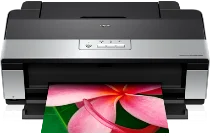
Λογισμικό και προγράμματα οδήγησης εκτυπωτή Epson Stylus Photo R2880 για Windows και Macintosh OS.
Υποστηριζόμενο λειτουργικό σύστημα Microsoft Windows
Παράθυρα 11 (64 bit)
Windows 10 (32/64 bit)
Windows 8.1 (32/64 bit)
Windows 8 (32/64 bit)
Windows 7 SP1 (32/64 bit)
Windows Vista SP2 (32/64 bit)
Windows XP SP3 (32/64 bit)
υποστηριζόμενα λειτουργικά συστήματα: Windows 10 32 bit, Windows 8.1 32 bit, Windows 8 32 bit
Αυτό το πρόγραμμα εγκατάστασης πακέτου προγραμμάτων οδήγησης περιέχει τα ακόλουθα στοιχεία:
- Πρόγραμμα οδήγησης εκτυπωτή
- Παρακολούθηση κατάστασης Epson
- Epson EasyPrint
- Epson Print CD
υποστηριζόμενα λειτουργικά συστήματα: Windows 11, Windows 10 64 bit, Windows 8.1 64 bit, Windows 8 64 bit
Αυτό το πρόγραμμα εγκατάστασης πακέτου προγραμμάτων οδήγησης περιέχει τα ακόλουθα στοιχεία:
- Πρόγραμμα οδήγησης εκτυπωτή
- Παρακολούθηση κατάστασης Epson
- Epson EasyPrint
- Epson Print CD
υποστηριζόμενα λειτουργικά συστήματα: Windows 7 32 bit, Windows Vista 32 bit, Windows XP 32 bit
Αυτό το πρόγραμμα εγκατάστασης πακέτου προγραμμάτων οδήγησης περιέχει τα ακόλουθα στοιχεία:
- Πρόγραμμα οδήγησης εκτυπωτή
- Παρακολούθηση κατάστασης Epson
- Epson EasyPrint
- Epson Print CD
υποστηριζόμενα λειτουργικά συστήματα: Windows 7 64 bit, Windows Vista 64 bit, Windows XP 64 bit
Αυτό το πρόγραμμα εγκατάστασης πακέτου προγραμμάτων οδήγησης περιέχει τα ακόλουθα στοιχεία:
- Πρόγραμμα οδήγησης εκτυπωτή
- Παρακολούθηση κατάστασης Epson
- Epson EasyPrint
- Epson Print CD
υποστηριζόμενα λειτουργικά συστήματα: Windows 10 32 bit, Windows 8.1 32 bit, Windows 8 32 bit
υποστηριζόμενα λειτουργικά συστήματα: Windows 10 64 bit, Windows 8.1 64 bit, Windows 8 64 bit
υποστηριζόμενα λειτουργικά συστήματα: Windows 7 32 bit, Windows Vista 32 bit, Windows XP 32 bit
υποστηριζόμενα λειτουργικά συστήματα: Windows 7 64 bit, Windows Vista 64 bit, Windows XP 64 bit
Λειτουργικό σύστημα που υποστηρίζεται από την Apple
Mac OS X 13 Ventura
Mac OS X 12 Monterey
Mac OS X 11 Big Sur
Mac OS X 10.15 Catalina
Mac OS X 10.14 Mojave
Mac OS X 10.13 High Sierra
Mac OS X 10.12 Sierra
Mac OS X 10.11 El Capitan
Mac OS X 10.10 Yosemite
Mac OS X 10.9 Mavericks
υποστηριζόμενα λειτουργικά συστήματα: Mac OS X Mavericks 10.9, OS X Yosemite 10.10, OS X El Capitan 10.11, MacOS Sierra 10.12, MacOS High Sierra 10.13, MacOS Mojave 10.14, MacOS Catalina 10.15, MacOS11 BigOS Veney, MacOS12 BigOS, Surey
Προδιαγραφές Epson Stylus Photo R2880
Ο Epson Stylus Photo R2880 είναι ένας εκτυπωτής inkjet υψηλής τεχνολογίας για χομπίστες της φωτογραφίας και επαγγελματίες που αναζητούν φωτογραφικά αποτελέσματα μεγάλου μεγέθους έως και A3+. Επιπλέον, η μελάνη Epson UltraChrome K3 αυτού του εκτυπωτή είναι εξοπλισμένη με Vivid Magenta—και θεωρείται πολύ καλά επειδή επιτυγχάνει εκτυπώσεις ευρείας γκάμα χρωμάτων που διαρκούν πολύ. Επίσης, τρία επίπεδα μαύρου μελανιού έχουν κάνει τις ασπρόμαυρες εικόνες περισσότερο σαν τέχνη σε ένα μουσείο με βαθύ μαύρο και ακριβείς διαβαθμίσεις. Ο χρήστης μπορεί ακόμη και να ενεργοποιήσει τη λειτουργία Advanced Black and White Photo για να έχει τον εκτυπωτή στα χέρια του. Με την υποδειγματική του διαμόρφωση ακροφυσίων, εξακολουθεί να υπάρχει ποιοτική τοποθέτηση: Το κείμενο είναι ευκρινές σαν κόλληση, ενώ η λεπτομέρεια της φωτογραφίας είναι σαφώς καθορισμένη.
Όμως, το R2880 έχει τους περιορισμούς του. Από την άλλη, πρέπει να βελτιωθεί ως προς την ταχύτητα. Εάν είστε στην παραγωγή, αυτό θα μπορούσε να είναι μια προειδοποίηση για ορισμένα άτομα που είναι ήδη εξοικειωμένα με τον λεπτομερή ορισμό της ποιότητας εκτύπωσης. Και υπάρχουν ακόμη λιγότερα σύγχρονα R2880 επειδή δεν έχουν ενσωματωμένη ασύρματη σύνδεση, καθιστώντας τη ζωή σε δικτυωμένα σπίτια και γραφεία λιγότερο βολική. Επίσης, ο εκτυπωτής παράγει εργασία υψηλής ποιότητας και η αυξημένη κατανάλωση μελανιού οδηγεί σε αυξημένο κόστος λειτουργίας. Ωστόσο, η υψηλή χρήση μελανιού είναι μια τυπική αντιστάθμιση για ποιοτικούς εκτυπωτές. Πολλοί σοβαροί φωτογράφοι είναι πρόθυμοι να κάνουν αυτό το στοίχημα, λαμβάνοντας υπόψη τα φανταστικά αποτελέσματα που έχουν.
Ο Epson Stylus Photo R2880 ξεχωρίζει μεταξύ των αντιπάλων του, ειδικά στους αναγνώστες που εστιάζουν στην ποιότητα εξόδου. Οι χρήστες που αγαπούν την ποιότητα εκτύπωσης πάνω απ' όλα θα βρουν ότι η απόδοση του R2880, είτε το Canon PIXMA Pro-100 είτε το Pro-10 ανταποκρίνεται στις ανάγκες τους, είναι αρκετά αξιοσέβαστη σε σύγκριση. Πράγματι, υπάρχουν επίσης ανταλλαγές για την Canon και την HP: Αυτοί οι εκτυπωτές στοχεύουν σε τμήματα της αγοράς ερασιτεχνικών και επαγγελματικών φωτογραφιών υψηλής ποιότητας με διαφορετικά πλεονεκτήματα, όπως καλύτερη συνδεσιμότητα ή εναλλακτικό σύστημα μελάνης. Ωστόσο, καθώς είναι τόσο έντονα παθιασμένοι με κάθε απόχρωση των φωτογραφικών τους εκτυπώσεων, οι εντατικοί φωτογράφοι θα πρέπει να σκεφτούν μια σύγκριση με την πάροδο του χρόνου. Οι υποψήφιοι αγοραστές μπορούν να εξετάσουν την κατάστασή τους, αλλά το R2880 παραμένει μια ελκυστική επιλογή για εργασίες προσανατολισμένες στην ποιότητα.